New Year Cat Planner Stickers
A new planner is full of promise. Blank pages, crisp grids, and a fresh start for the year. If you share your home with a cat, though, you know that your planner is never really just about you. There are vet visits to remember, flea and tick dates to track, a litter box to scoop, a toy to rotate, and a small, opinionated animal who expects playtime on schedule.
That’s why we created this free New Year cat planner sticker set: paw prints, cat faces, vet reminders, and playtime stickers designed for planners and bullet journals. Below you’ll find what’s included, how to print and cut the sheets, which paper and sticker materials work best, and the mistakes that ruin otherwise cute spreads. Whether you’re a minimalist bullet journalist or a full-on sticker collector, you’ll find a setup that fits.
DOWNLOAD THE FREE CAT PLANNER STICKER SET HERE
Quick Summary: What You’ll Learn
- What’s included in the free cat sticker download (and the file formats)
- How to print the stickers at home on sticker paper or plain paper
- Which sizes work in A5, B6, personal, and standard planners
- How to use each sticker type: paw prints, cat faces, vet reminders, playtime
- Common mistakes to avoid, from blurry prints to sticker overload
- Tips for planning your cat’s year without feeling overwhelmed
What’s Included in the Free Cat Planner Sticker Set
The New Year collection is built around the things cat owners actually track. Every design uses a clean, modern look that stays legible even at small sizes and reads well on both white and cream pages.
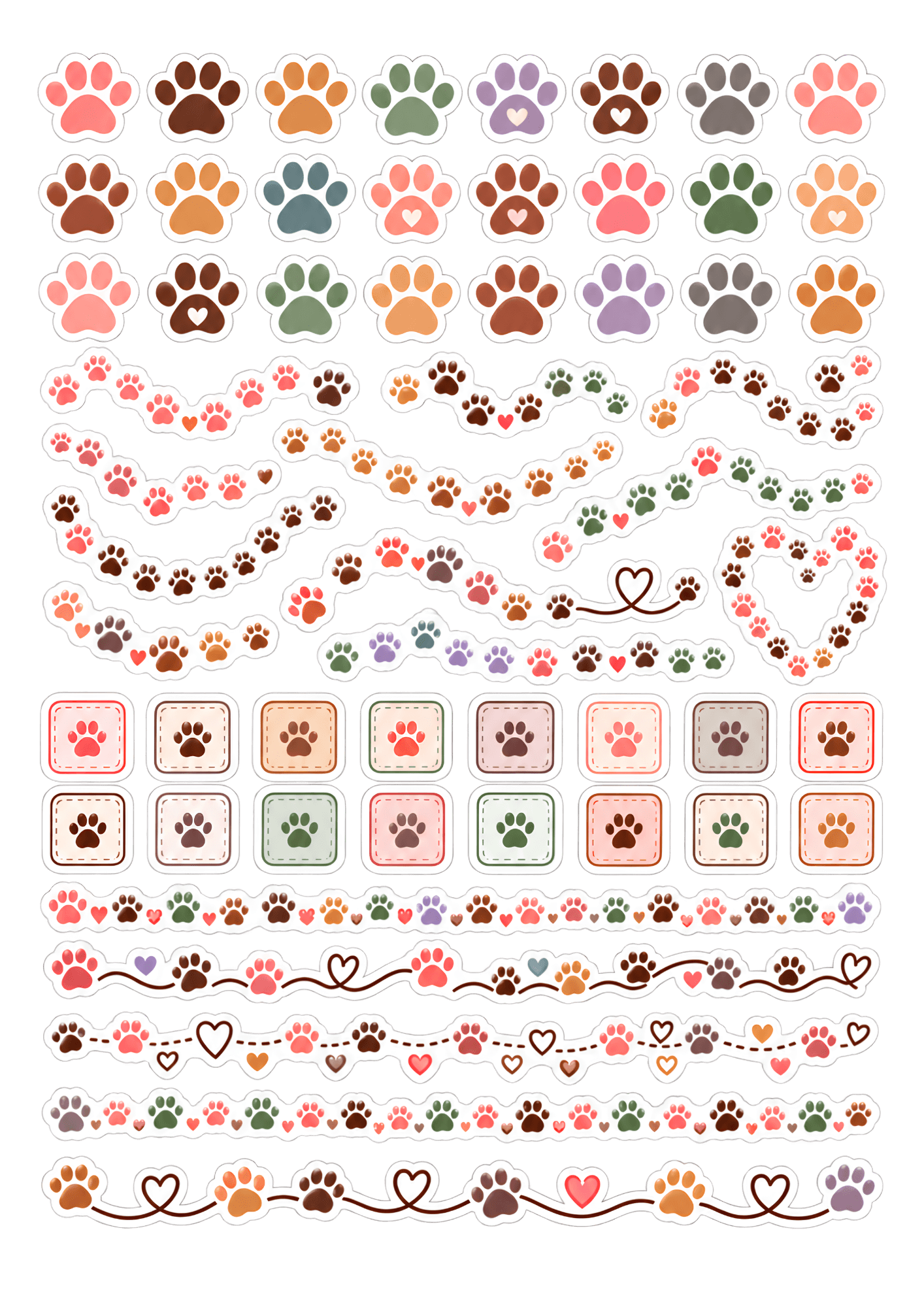
1. Paw print stickers. Single paw prints, trails of tiny paws, and paw-print checkboxes. Use them as bullet points, habit-tracker markers, or decorative borders. A paw trail running along the bottom of a weekly spread looks charming and takes two seconds to apply.
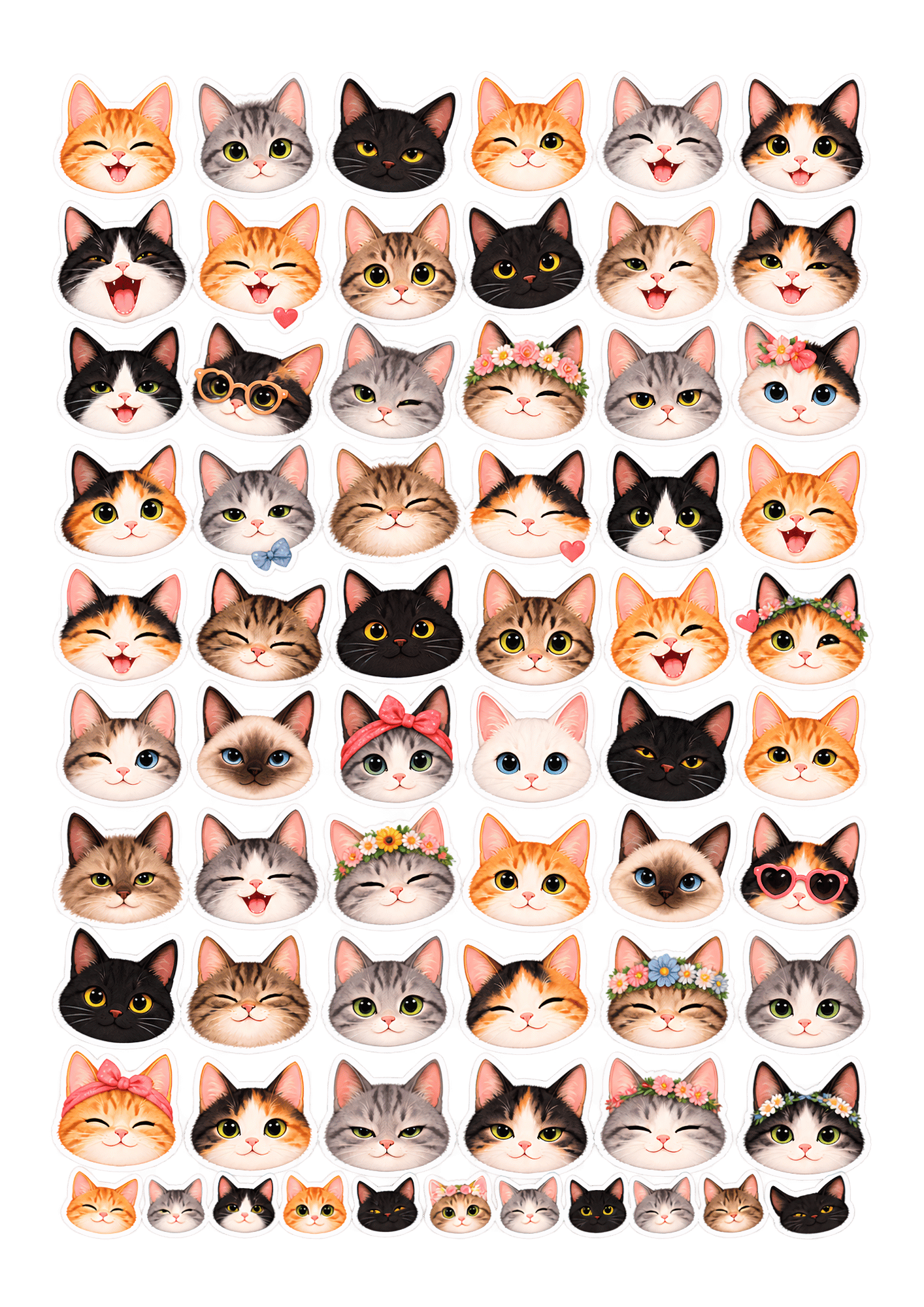
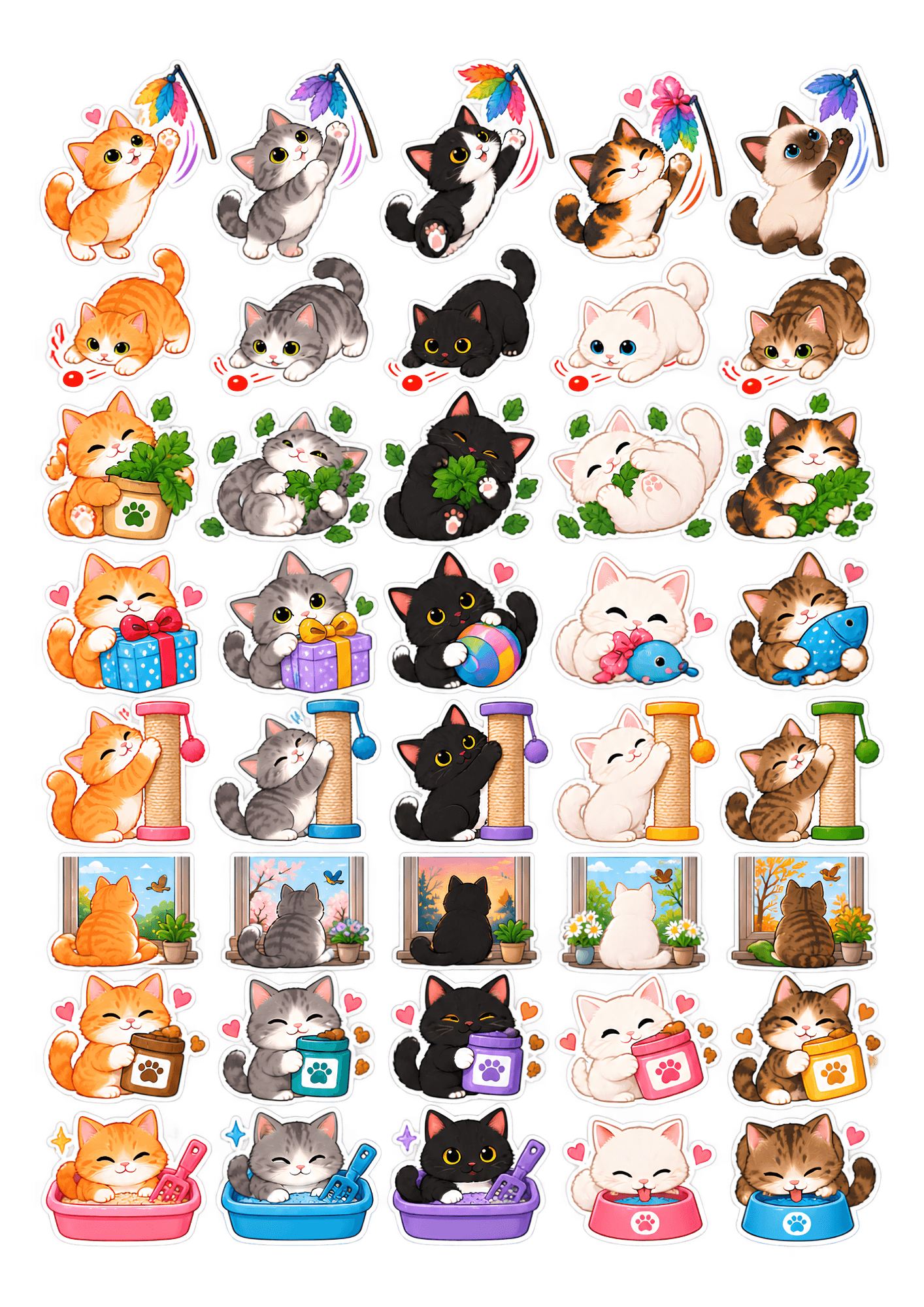
2. Cat face stickers. A variety of cat faces and silhouettes: sleepy, curious, grumpy, and playful, plus tabby, tuxedo, orange, black, and gray styles. They work as mood trackers, monthly header decorations, or personalized stickers if you have more than one cat.
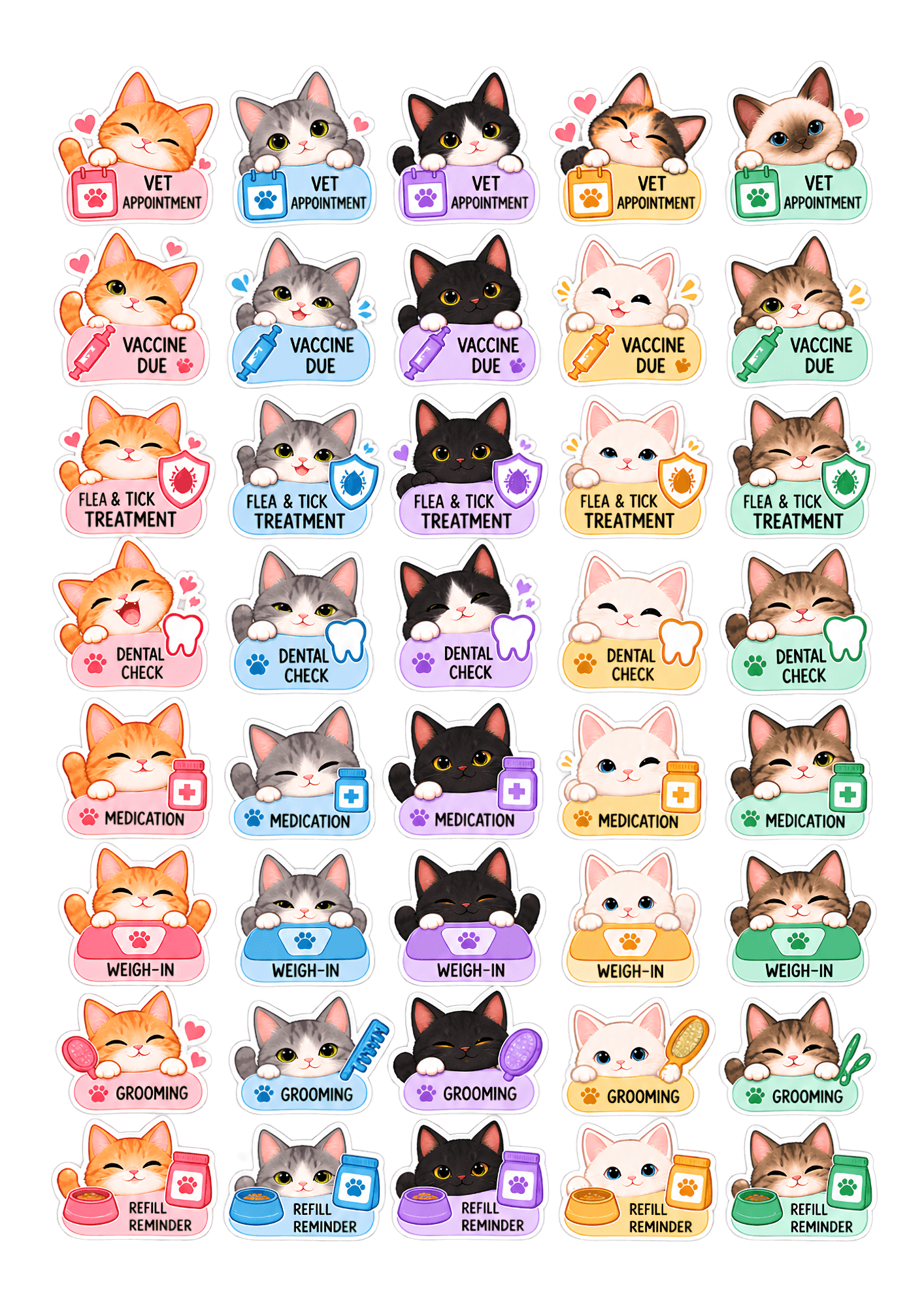
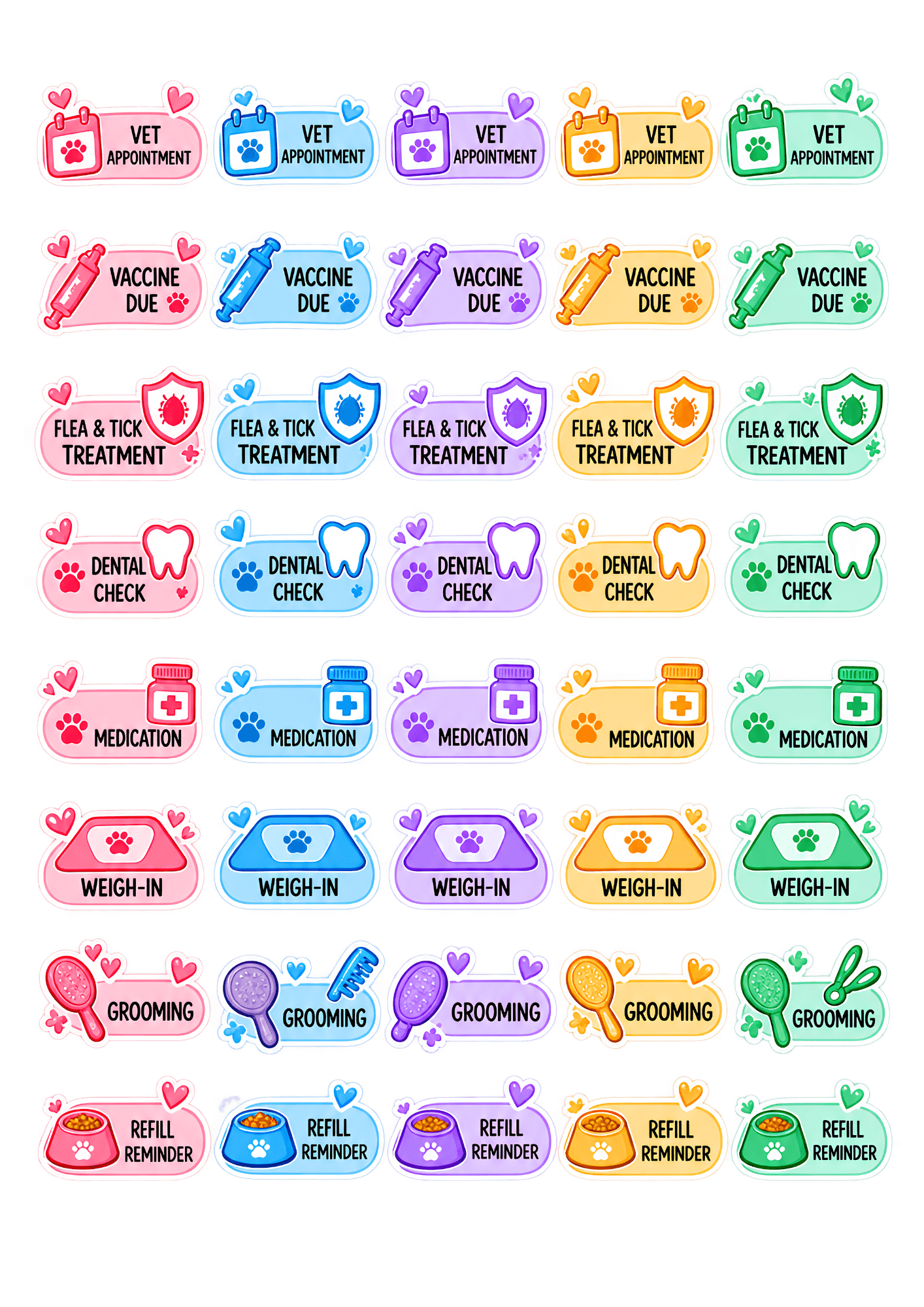
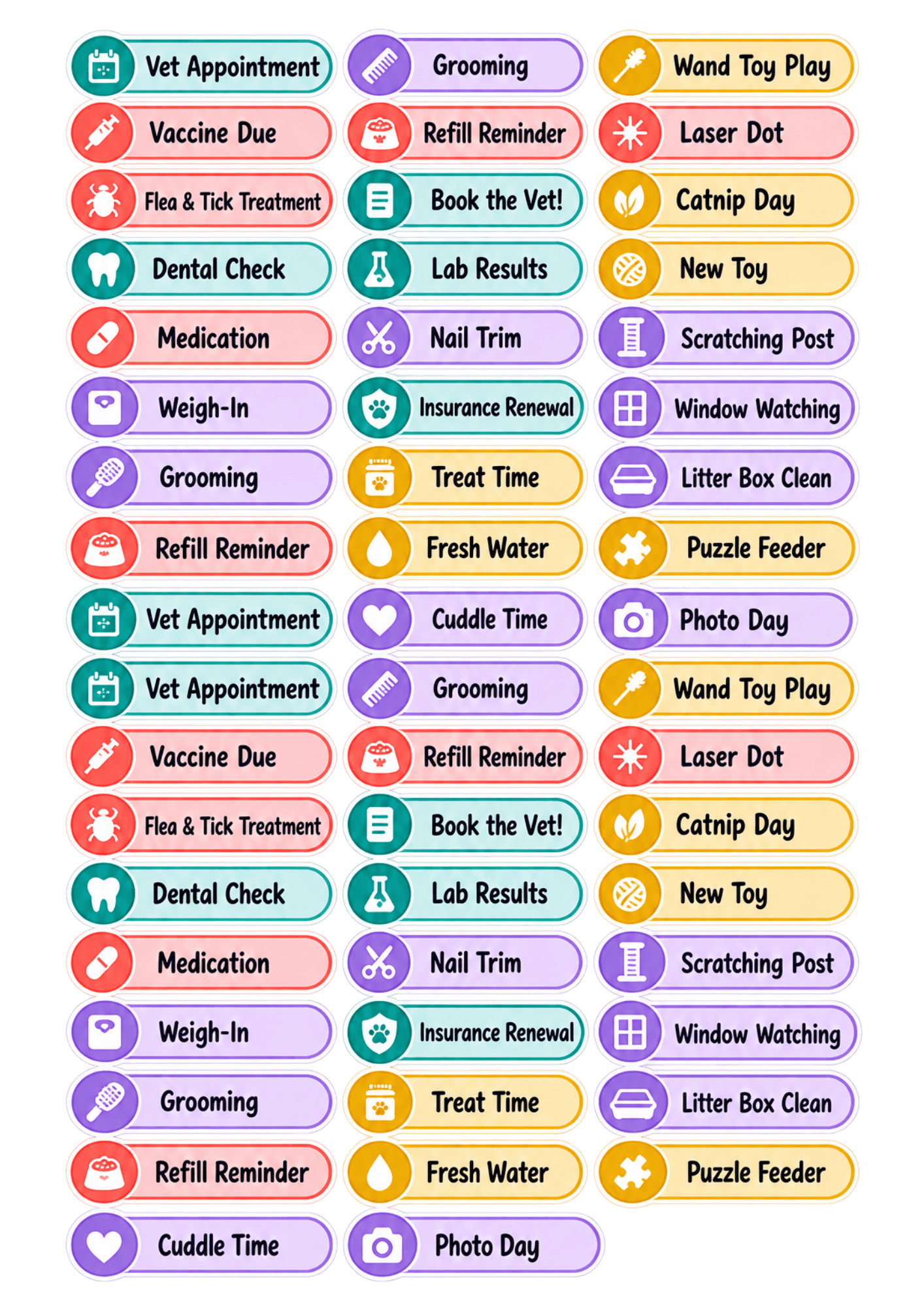
3. Vet reminder stickers. These are the practical heart of the set: vet appointment, vaccine due, flea and tick treatment, dental check, medication, weigh-in, grooming, and refill reminder stickers. They’re color-coded and sized to fit a single planner line, so you can spot upcoming appointments at a glance.
4. Playtime and care stickers. Wand toy play, laser dot, catnip day, new toy, scratching post, window-watching time, treat time, litter box clean, and fresh water. These double as a daily care tracker and a fun way to remind yourself to actually play with your cat.
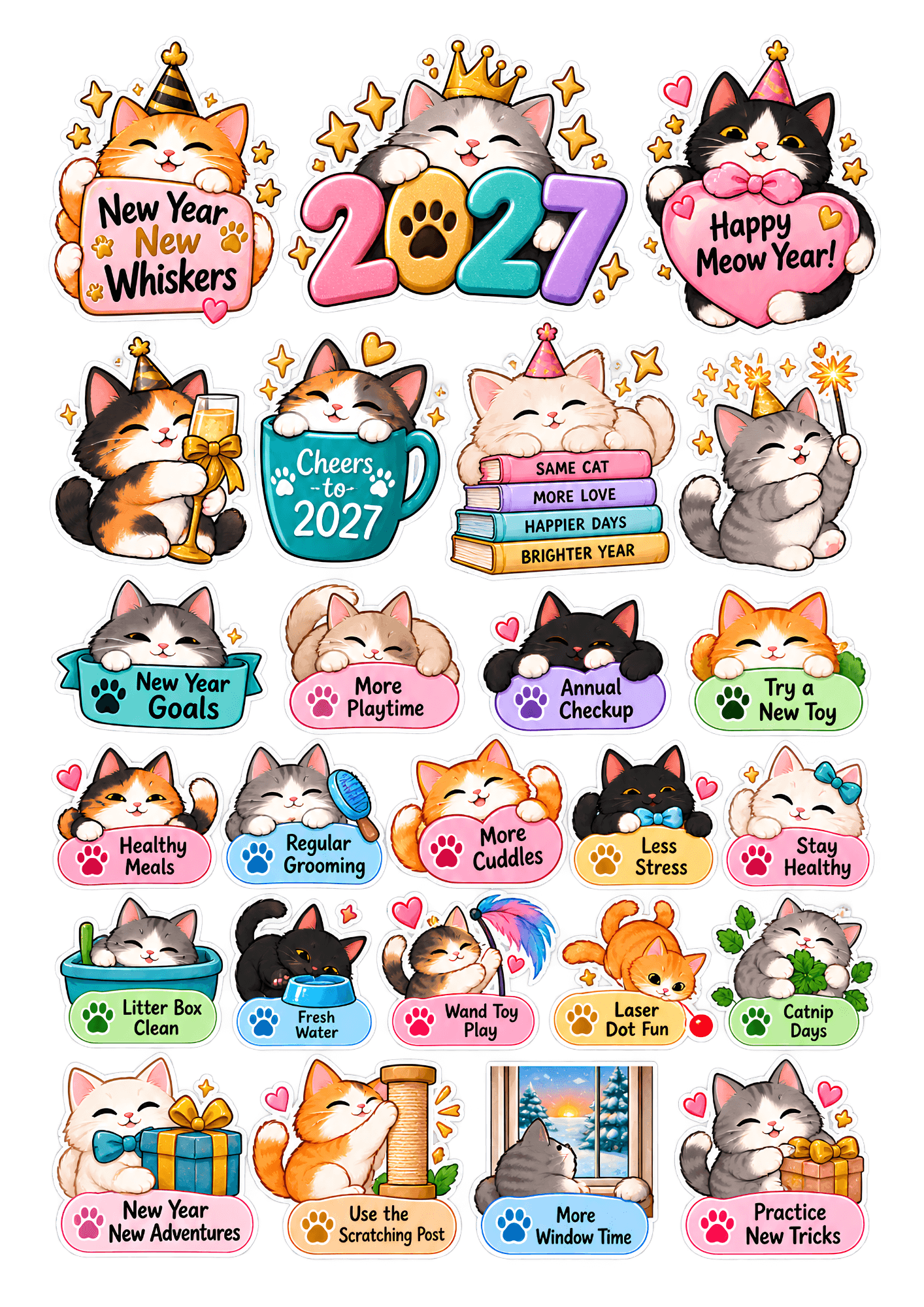
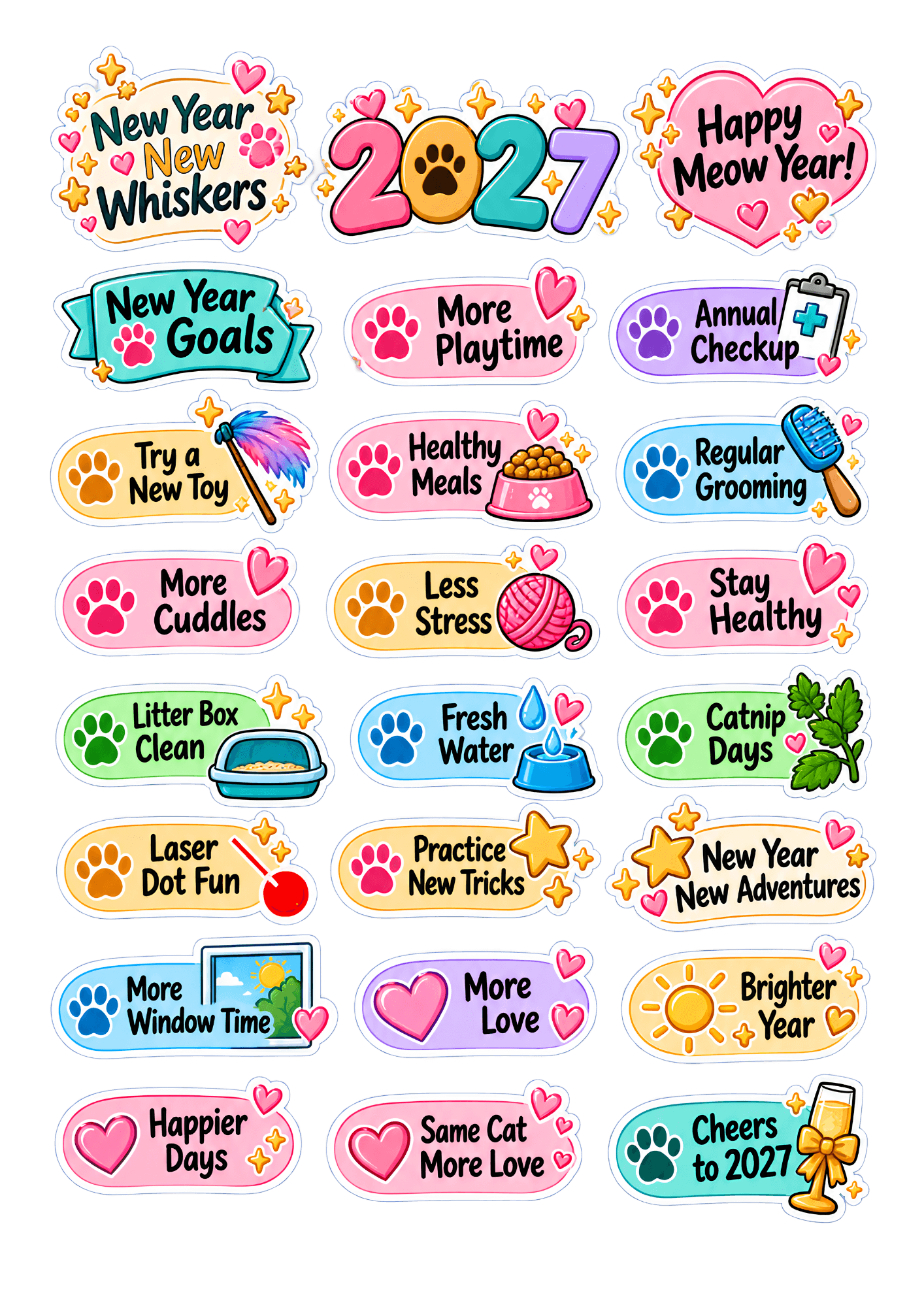
5. New Year extras. A few seasonal pieces: “New Year, New Whiskers,” a 2027 banner, goal-setting labels, and a small set of resolution stickers such as “more playtime,” “annual checkup,” and “try a new toy.”
File formats: Each sheet comes as a high-resolution PNG and a PDF sized for US Letter. PNG files work with cutting machines and digital planning apps. Transparent-background versions are included for digital use in GoodNotes, Notability, and similar apps.
Why Cat Stickers Actually Make Planning Easier
Stickers aren’t only decoration. Visual cues speed up how quickly you read a page. A small syringe icon next to a date tells you “vaccine” faster than a handwritten note. Over time, your eyes learn the system, and your planner becomes a dashboard rather than a wall of text.
There’s also a motivation boost. Many people find that planning feels more enjoyable when it’s visually rewarding. Placing a paw-print sticker after you’ve played with your cat for fifteen minutes is a small, satisfying ritual, and small rituals build habits. If you’ve ever abandoned a planner by February, adding something you genuinely love, like your cat, can keep you coming back.
Finally, stickers reduce writing. If your handwriting is messy or you’re short on time, a ready-made “Vet Appointment” sticker keeps your layout tidy and consistent.
How to Download and Print Your Free Cat Stickers
Follow these steps for crisp, vibrant results.
Step 1: Download. Click the download link above and save the PDF file.
Step 2: Open the PDF in Adobe Reader or a similar program. Don’t print from a browser preview. Browser printing often shrinks the file or adds margins, which changes the sticker sizes.
Step 3: Set the print scale to 100% (Actual Size). This is the most important setting. If you choose “Fit to Page,” the stickers will shrink and may no longer match your planner’s lines and boxes.
Step 4: Choose the highest print quality. Select “Best” or “High” in your printer settings, and choose the paper type that matches what you’re using (for example, “Matte Photo Paper” or “Adhesive”).
Step 5: Print a test on plain paper first. Hold the test sheet against your planner to check sizes. This saves expensive sticker paper.
Step 6: Print on your chosen paper and let it dry. Inkjet ink needs a minute or two to set, especially on glossy sticker paper. Smudged ink is the quickest way to ruin a sheet.
Step 7: Cut your stickers. Use scissors, a craft knife, or a cutting machine (more on this below).
Choosing the Right Paper and Sticker Material
The paper you choose changes the final look and feel dramatically.
Matte sticker paper is the best all-round choice. It resists glare, takes ink well, and looks professional in a bullet journal. Glossy sticker paper makes colors pop, but it can reflect light and may smudge more easily. Clear (transparent) sticker paper works best for overlays and for stickers that sit on top of text, though it needs a white or light background to look right, which makes it a good fit for white planner pages. Full-sheet label paper is budget-friendly and perfect for rectangular reminder stickers you plan to cut in straight lines.
No sticker paper? No problem. Print on regular paper or light cardstock, cut the stickers out, and attach them with washi tape, a tape runner, or removable glue dots. Removable options are a real advantage for appointments that might change.
Printer tip: Pigment-based inkjet printers tend to produce longer-lasting, water-resistant prints than dye-based ones. If your planner is going to live in a bag or on a kitchen counter, this matters.
Sizing Guide: Which Planner Fits Which Stickers
Sticker size is the number one reason people feel disappointed with printables. Use this guide before you print.
| Planner Type | Recommended Sticker Height | Best Use |
|---|---|---|
| A5 / Standard daily | 0.4–0.5 in (10–13 mm) | Reminders, paw bullets |
| Personal / B6 | 0.3–0.4 in (8–10 mm) | Mini icons, small paw prints |
| Bullet journal (dot grid) | 0.25–0.5 in (6–13 mm) | Habit trackers, cat faces |
| Weekly box layouts | 1–1.5 in (25–38 mm) | Large cat faces, headers |
| Digital planner | Any (resize freely) | Everything |
If your planner has very narrow lines, scale the PNG files down in an image editor or choose the “mini” sheet before printing. Scaling down is almost always better than cramming oversized stickers into tiny spaces.
How to Use Each Sticker Type
Paw Prints: Bullets, Borders, and Habit Trackers
Replace standard bullet points with a small paw print for every cat-related task. For habit trackers, create a row of empty circles and place a paw print in each one you complete. At the end of the month, a full row of paws is surprisingly motivating.
Paw trails also make excellent page dividers. Run a line of paws across the top of a monthly spread to separate your cat tasks from everything else.
Cat Faces: Mood, Monthly Themes, and Multi-Cat Households
Cat faces are the most expressive stickers in the set. Try these ideas:
- Mood tracker: Assign each face a mood (sleepy, happy, grumpy, energetic) and log your own mood or your cat’s behavior for the day.
- Monthly header: Use one large cat face at the start of each month as a visual anchor.
- Multi-cat households: Give each cat a signature face (an orange tabby for Mango, a tuxedo for Oreo) so you can tell at a glance whose appointment or medication it is.
- Weight tracker: Place a face next to each monthly weigh-in note.
Vet Reminder Stickers: Your Cat’s Health Calendar
This is where stickers save you real time, and where it pays to be organized. At the start of the year, sit down with your cat’s records and map out the recurring items. Typical things to track include:
- Annual wellness exam. Many veterinarians recommend a yearly checkup for healthy adult cats, and more frequent visits for kittens and seniors.
- Vaccination schedule. Dates vary by age, lifestyle, and location, so follow your vet’s recommendations.
- Parasite prevention. Monthly flea, tick, or heartworm products if your vet recommends them.
- Dental care. Check-ups and any at-home brushing routine.
- Medication and refills. Place a reminder sticker about a week before you run out.
- Weigh-ins. Gradual weight changes can be an early sign that something needs attention.
Pro tip: Place the sticker both on the appointment date and one week earlier as a “book it” reminder. Most clinics fill up quickly in busy seasons.
Note: These stickers are organizational tools, not medical advice. Always follow your veterinarian’s guidance for your cat’s specific needs.
Playtime Stickers: Make Play a Habit
Indoor cats especially need regular exercise and mental stimulation. Many behavior experts suggest short, daily play sessions, often split into a few bursts, that mimic hunting: stalk, chase, pounce, catch. Using playtime stickers helps you build it into your routine.
Try a simple system:
- Wand toy sticker for morning play
- Laser or chase sticker for evening play
- New toy sticker on the first of the month, as a reminder to introduce or rotate toys
- Treat sticker on training or puzzle-feeder days
If you see a week with few playtime stickers, that’s useful feedback. It’s not a failure, just a nudge.
Layout Ideas for Planners and Bullet Journals
You don’t need to be an artist to create a charming cat spread. Here are four simple layouts:
1. The Cat Care Dashboard. Draw a monthly grid or use your planner’s monthly view. Assign one sticker type per category (vet, play, grooming, litter) and keep them in consistent columns or rows.
2. The Year-at-a-Glance Vet Calendar. On a single two-page spread, list all twelve months. Add vet reminder stickers for appointments, vaccines, and refills. This is the page you’ll refer to most often.
3. Weekly Play Tracker. Make a seven-day row with two or three small circles each day. Add a paw print or playtime sticker whenever you complete a session.
4. The “Cat of the Month” Page. Dedicate a page to photos, funny moments, and milestones. Add a cat-face header and a few decorative paw prints. At the end of the year, you’ll have a keepsake.
Choosing Colors That Look Great on White Pages
Because most planners and printed pages are white or off-white, color contrast matters. The stickers in this set use a palette tested against white backgrounds:
- Deep teal (#1F7A7A): vet and health reminders; calm and easy to read
- Warm coral (#F26B5B): urgent items such as vaccines and refills
- Sunny mustard (#E8A93B): playtime and treats
- Soft lavender (#9B8CC9): grooming and self-care
- Charcoal (#3A3A3A): outlines and text, readable even at small sizes
If you add your own decorations, avoid very pale yellows and light pastels for text, as they tend to wash out on white paper.
Common Mistakes to Avoid
Even a beautiful sticker set can disappoint if you run into these problems.
1. Printing at the wrong scale. “Fit to Page” shrinks or enlarges your stickers. Always print at 100% or Actual Size.
2. Skipping the test print. One sheet of plain paper can save a whole sheet of sticker paper.
3. Overcrowding the page. It’s tempting to use every sticker. Leave breathing room, because a spread with too many stickers makes everything harder to read, including the reminders that matter most.
4. Using too many colors or styles. Pick three or four main colors and a consistent sticker “language” so your system stays easy to understand.
5. Covering handwritten notes. Place stickers beside text, not on top, unless you’re using clear sticker paper. Also keep stickers clear of binding edges and fold lines.
6. Using permanent stickers for tentative appointments. If a date isn’t confirmed, use a removable sticker or write it in pencil first.
7. Forgetting to record the details. A “Vaccine Due” sticker is helpful, but add the clinic name, time, or which vaccine in a short note. The sticker is the signal and the note is the information.
8. Ignoring ink and paper compatibility. Using the wrong paper setting can cause streaking or smudging. Match your printer settings to your paper type.
9. Cutting too soon. Wet ink smears when cut. Let prints dry fully, ideally for several minutes.
10. Forgetting to back up your files. Save the original download in a cloud folder so you can reprint whenever you run out.
Pro Tips for Better Results
Use a cutting machine for clean edges. If you own a Cricut or Silhouette, use the PNG files with the “Print Then Cut” feature. This produces professional-looking, die-cut stickers in minutes.
Add a white border for hand-cut stickers. A thin white margin around each design makes them easier to cut and look more polished.
Store stickers in a sticker album or sleeve. Keep them flat and away from heat. Clear storage sleeves with a wax-paper backing prevent sticking.
Pair with washi tape. A strip of washi tape in teal or coral can create headers that match the stickers.
Create a legend. On the first page of your planner, add a small key explaining what each sticker means. This is especially helpful if you share the planner with family members.
Go digital if you prefer. The transparent PNGs work in digital planners. Import them into your sticker library and drag them onto your pages.
Reuse and reprint. Print a fresh sheet whenever your supply runs low, so the free set can last the whole year.
Setting Realistic New Year Goals for You and Your Cat
New Year resolutions work best when they’re specific and small. Instead of “take better care of my cat,” try goals like these:
- Schedule the annual vet visit in January.
- Play with my cat for 10–15 minutes a day.
- Introduce one new enrichment toy or puzzle feeder each month.
- Brush my cat’s coat weekly (or more often for long-haired breeds).
- Take monthly photos to document your cat’s year.
Use your stickers to track progress. Consistency matters more than perfection. If you miss a few days, simply pick up where you left off.
Frequently Asked Questions
Are these cat planner stickers really free?
Yes. The set is free for personal use. Please don’t resell or redistribute the files, but feel free to print as many copies as you need for your own planners and journals.
Can I use the stickers in a digital planner?
Absolutely. The transparent-background PNG files work in apps like GoodNotes, Notability, and Procreate.
What size are the stickers?
Sizes vary by design, from small mini icons (about 0.3 in) to larger header stickers (about 1.5 in). The sizing guide above will help you pick the right sheet for your planner.
What paper should I use for printing?
Matte sticker paper is the best all-around choice. Plain paper or cardstock also works if you attach stickers with washi tape or glue dots.
Can I print these without a color printer?
You can, though the color-coding will be lost. If you only have a black-and-white printer, print on colored paper or add color with markers or colored pencils.
Can I personalize the stickers?
Yes. Open the PNG files in an image editor to add your cat’s name, or write directly on blank label stickers.
How should I use the vet reminder stickers?
Place them on appointment dates, and add a second sticker one to two weeks earlier as a reminder to book or prepare. Always confirm medical schedules with your veterinarian.
Will the stickers fit a Happy Planner or Erin Condren planner?
Yes, in most cases. Choose the sheet size that matches your planner’s line height, and do a test print first.
Do I need a cutting machine?
No. Scissors work fine. A cutting machine just makes clean, consistent edges easier.
Start Your Year with a Planner Your Cat Would Approve Of
A good planner reflects what matters to you, and for cat people, that includes the small furry roommate who sits on your notebook the moment you open it. These free New Year cat planner stickers are designed to make caring for your cat a bit more organized and a lot more fun, from tracking vet visits to celebrating playtime wins.
Download the set, print a test sheet, and start your 2027 pages with a few paw prints. Your future self (and your cat) will thank you.
DOWNLOAD THE FREE CAT PLANNER STICKER SET
Personal use only. Cat care information in this article is general and not a substitute for professional veterinary advice.